I never want to see (reverse-i-search) ever again :)

Yes, you read that right! I never want to see (reverse-i-search) ever again :) Or anything similar
I use bash shell 🐚 and I'm lazy to type out all the commands, especially commands I have typed before. Though I could use my clipboard manager Clipy and copy and keep the commands handy, I think it's too much work to always keep copying commands. I would rather use a search 🔍🔎🔦👀 feature to search the old commands and choose the command I want
There are more alternatives too for this, for example, there are tools 🧰🛠️⚒️ to help you create aliases for complete commands and search and choose an alias with a quick keyboard shortcut and that will run the whole command :)
What I do? I use a combination of shell history, in my case bash history file and fzf
In my macOS, I simply install fzf and install the key bindings that come with fzf. The installation has become way simpler these days. I just do a single brew install fzf and everything is generally setup. Previously I had to run one more command to install the keybindings
fzf does have documentation 📃📄 on key bindings
https://github.com/junegunn/fzf#key-bindings-for-command-line
What I did? Just brew install fzf in my macOS and ensured that the below line is sourced every time my bash starts off
[ -f ~/.fzf.bash ] && source ~/.fzf.bash
I put this one liner 👆in my $HOME/.bash_profile which is what gets sourced every time my bash starts off, in my case at least
And the beauty of this? It looks like this now when I do Control + R -
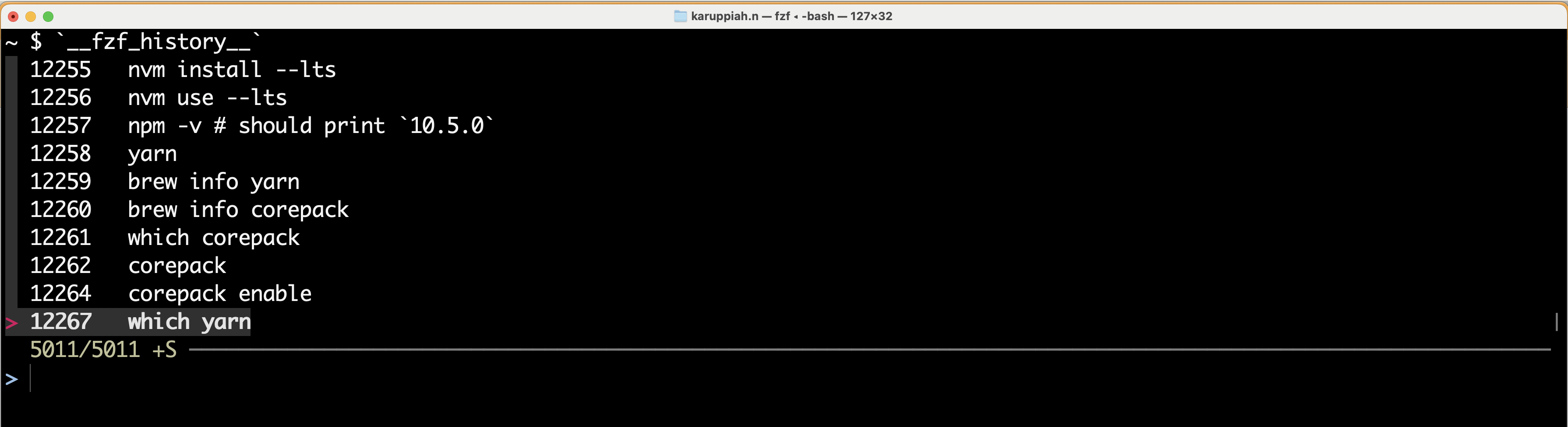
I can do fuzzy search 🔎🔦🔍👀 too
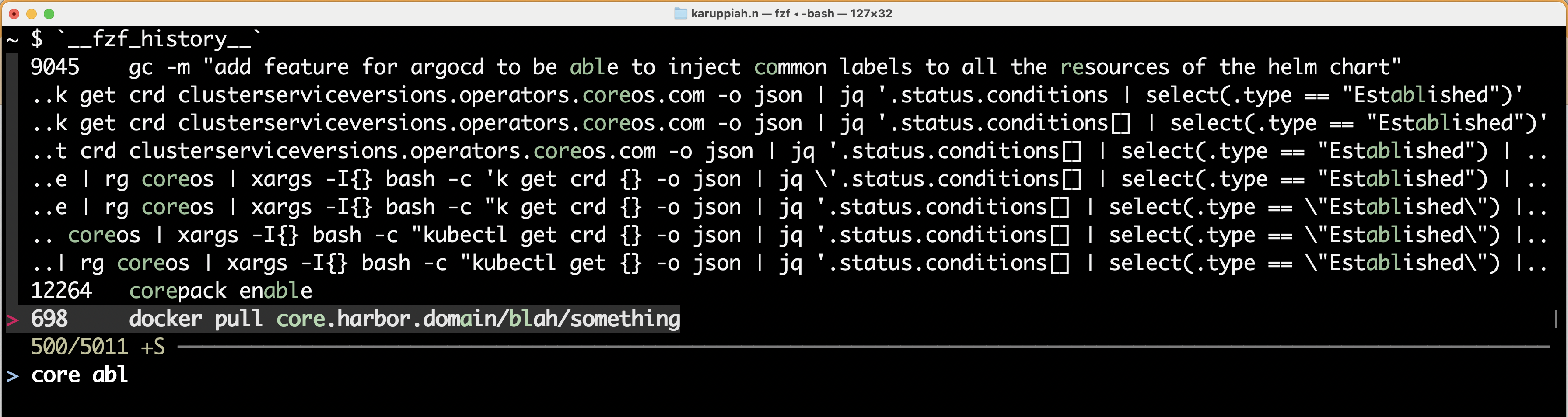
Look how it selects various commands when my search input is just core abl
It selects corepack enable command and many others too, like -
docker pull core.harbor.domain/blah/something
k get crd -o name | rg coreos | xargs -I{} bash -c "kubectl get {} -o json | jq '.status.conditions[] | select(.type == \"Established\") | .status'"
Notice how it selects part by part, in a fuzzy manner? You can also see why it selected the commands it selected - with a green highlighting/marking/boldening on the letters matching the search input.
The searching happens in a split second - you won't even notice it! It's really fast 💨! I don't have numbers / benchmark tests - maybe you can find it in the fzf project, but they are blazingly fast as they claim :)
About the author
I like learning new stuff - anything, including technology. I love tinkering with new tools, systems and services, especially open source projects
Comments
Join the discussionNo comments yet. Be the first to comment.


